WSP MCP vs Novamira: Which WordPress AI Connector Wins?
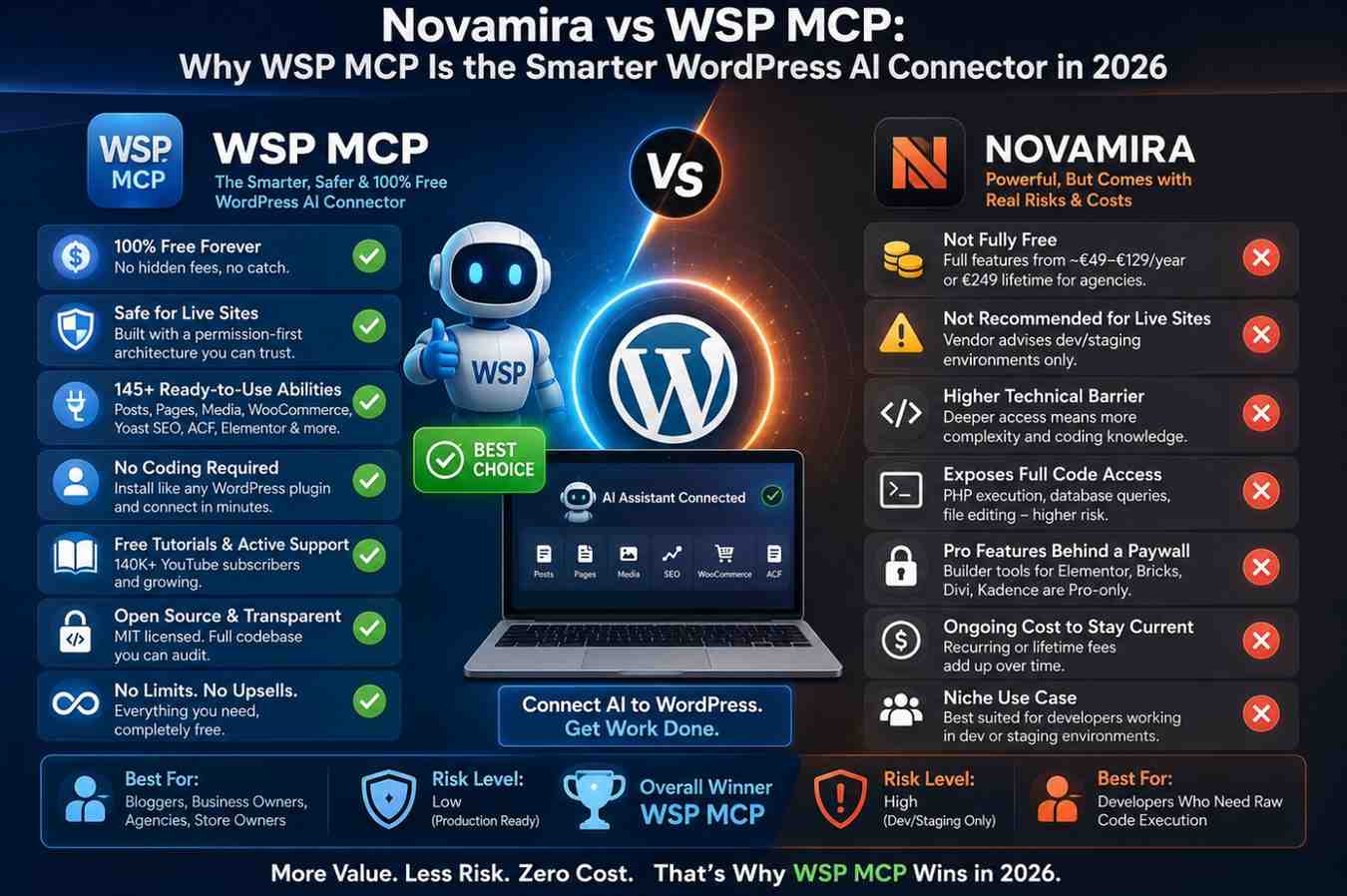
AI coding for WordPress stopped being a novelty this year and became a real workflow. Instead of generating content in ChatGPT and pasting it into the block editor, tools built on the Model Context Protocol (MCP) let your AI assistant connect directly to your WordPress site and do the work itself - writing posts, fixing SEO, managing media, updating pages.
Two plugins dominate that space right now: WSP MCP and Novamira. Both connect WordPress to an AI agent. But once you look past the surface, one of them is clearly built for how real WordPress users, developers, and agencies actually work - and the other asks you to accept real risk, real cost, and real complexity to get there.
Here’s why WSP MCP comes out ahead.
What a WordPress MCP Plugin Is Supposed to Do
A WordPress MCP plugin turns your site into a Model Context Protocol server, so an AI client like Claude, Cursor, or Codex can read and edit your posts, pages, media, and settings directly - no copy-pasting required.
That’s the shared starting point. The question that actually matters is: which plugin gives you that power in a way that’s safe, affordable, and easy to trust? That’s where the two tools split sharply.
WSP MCP: Built by People Who Actually Run WordPress Sites
WSP MCP is a free, open-source WordPress MCP plugin from WebSensePro - a working agency, Shopify Partner, and Top Rated Plus Upwork freelance team that built this plugin to solve problems on real client sites, not as a side experiment. That background shows up in every part of the product.
Why WSP MCP stands out
- Completely free, with no catch. MIT-licensed, no premium tier, no feature gates, no usage caps, no API key required. You’re not building your workflow around a plugin that might paywall the features you rely on later.
- 145 ready-to-use abilities covering posts, pages, media, WooCommerce, Yoast SEO, ACF, and Elementor - essentially everything a WordPress site owner or agency actually touches regularly.
- Permission-first architecture. You choose exactly which WordPress user the AI acts as, and every single ability can be switched on or off individually. That’s real control, not an all-or-nothing access grant.
- Safe enough for production sites. WSP MCP doesn’t need to be quarantined to a staging environment - it’s designed to work confidently on the live site you actually run your business on.
- No coding knowledge required. Install it exactly like Yoast or WooCommerce, connect your AI client, and you’re good to go. No CLI, no server access, no PHP experience needed.
- Maintainer-backed video tutorials from a YouTube channel with 140K+ subscribers, updated with every release - so when something breaks, there’s an actual answer waiting, not a forum thread from two versions ago.
- Fully open source and auditable. The code handling your site’s credentials and permissions is public. Nothing is hidden behind a closed, paid layer.
- Works with every major MCP-compatible client - Claude, Cursor, Claude Code, and ChatGPT-compatible tools - so you’re never locked into one AI provider.
Put simply: WSP MCP gives you the abilities WordPress users actually need, wrapped in a permission model built for real, live sites, at zero cost. That combination is hard to beat.
Novamira: More Raw Power, But at a Real Price and Real Risk
Novamira takes a fundamentally different approach. Rather than a curated set of WordPress-native abilities, it exposes the AI to full PHP execution, WP-CLI commands, direct database queries, and file editing.
That’s a genuinely different category of access - and it comes with genuine trade-offs that WSP MCP doesn’t have.
What Novamira asks of you
- It’s not fully free. The core plugin is free, but full functionality - including builder tools for Elementor, Bricks, Divi, and Kadence - sits behind Novamira Pro, priced from roughly €49/year for individuals up to €129/year (or a €249 lifetime fee) for agencies. WSP MCP gives away its entire ability set at no cost.
- The vendor itself recommends dev/staging use, not production. Novamira’s own site is explicit that its PHP execution and database-level access are “for development and staging environments” - a fair and honest disclosure, but also a real signal that this isn’t a tool most site owners should point at a live, revenue-generating website.
- Higher technical bar. Getting real value out of Novamira, especially the Pro builder tools, assumes a level of coding comfort that WSP MCP doesn’t require.
- Ongoing cost to stay current. Annual and lifetime licenses mean Novamira’s true cost keeps growing the more sites or features you need - a cost WSP MCP users never have to think about.
None of this makes Novamira a bad tool for its narrow use case. But for the vast majority of WordPress users, it asks for more risk and more money to do work WSP MCP already does safely, for free.
Feature-by-Feature Comparison
| Feature | WSP MCP | Novamira |
|---|---|---|
| Price | 100% free, forever | Free core only; full features from ~€49–€129/year |
| License | Fully open source (MIT) | Free tier only; Pro is closed and paid |
| Access model | Curated, permission-scoped abilities | Full PHP, database, and file-level access |
| Safe for live/production sites | Yes, by design | Vendor recommends dev/staging only |
| Setup difficulty | Very low - install and connect | Low to moderate; more setup for Pro features |
| Coding knowledge required | None | Helpful, often necessary for Pro |
| WordPress-native coverage | Posts, pages, media, WooCommerce, Yoast, ACF, Elementor | Site-wide code access; builder tools gated behind Pro |
| Support | Free video tutorials + active GitHub | Docs, community group, paid support tiers |
| Long-term cost | None, ever | Recurring or lifetime licensing fee |
| Best suited for | Everyday WordPress users, agencies, businesses | Developers comfortable with dev/staging risk |
Pros and Cons
WSP MCP
- ✅ Zero cost, at every tier, forever
- ✅ Purpose-built for the WordPress work people actually do
- ✅ Safe enough to trust on a live production site
- ✅ No coding background needed
- ✅ Fully transparent, open-source codebase
- ❌ Doesn’t expose raw PHP/database execution - by design, for safety
Novamira
- ✅ Deep code access appeals to developers building custom features
- ✅ Builder-specific tools available in Pro
- ❌ Full functionality requires an ongoing or lifetime payment
- ❌ Vendor itself limits recommended use to dev/staging environments
- ❌ Steeper learning curve for non-developers
- ❌ Free tier is noticeably more limited than WSP MCP’s fully free offering
Real-World Use Cases
- A blogger or small business owner wants an AI to write posts, tighten SEO, and manage media - without paying anything or risking their live site. WSP MCP is built exactly for this.
- An agency managing dozens of client sites needs a tool with zero per-site licensing cost and a permission model safe enough for production. WSP MCP’s free, open-source model scales without eating into margins.
- A WooCommerce store owner updating product listings and metadata gets everything they need out of the box with WSP MCP’s built-in WooCommerce and Yoast abilities - no Pro upgrade required.
- A developer prototyping custom PHP logic on a staging environment might reach for Novamira’s deeper access - with the trade-off of higher risk and, eventually, a subscription cost.
Which Tool Should You Actually Choose?
For nearly every WordPress user - bloggers, business owners, agencies, freelancers, and store owners - WSP MCP is the clear choice. It’s free without limits, safe enough for a live site, easy enough to set up in minutes, and it already covers the abilities people rely on most: content, SEO, media, and WooCommerce.
Novamira serves a narrower niche: developers who want raw PHP and database access, are comfortable confining that power to a staging environment, and don’t mind paying an ongoing fee once they need the full toolkit. That’s a legitimate use case - but it’s a small slice of who’s actually managing WordPress sites day to day.
Final Verdict
If you want a WordPress AI connector that’s genuinely free, safe on a production site, effortless to set up, and focused on the work WordPress users actually do - WSP MCP is the better overall choice, whether you’re a solo blogger, a growing business, or an agency managing multiple client sites.
Novamira has its place for developers deliberately working in dev or staging environments who need raw code execution and are willing to pay for it. But for the vast majority of WordPress users and businesses, WSP MCP delivers more practical value, at no cost, with far less risk - making it the smarter, more trustworthy pick for WordPress AI development in 2026.